



University Textbook - Robotics Planning, Control and Innovation - Mirobot MATLAB Digital Textbook with Resources Code
University Textbook - Robotics Planning, Control and Innovation - Mirobot MATLAB Digital Textbook with Resources Code
Available in stock
Difficulty: ★★★★ (Advanced)
Target Learners: University Students
Experiments: 22 Total
Content Highlights:
- Mathematical basis of robots
- Forward kinematic analysis of robots
- Calculation and control of robot inverse kinematics
- Robot dynamics and control
- Video tutorials of all the experiments
- Full digital access to all content
Couldn't load pickup availability
- Order will be shipped out from US warehouse in 1-3 business days once being processed.
8
Progressive chapters
20+
Guided robotics experiments
3
Environments: robotic arm, MATLAB (Version R2025b), CoppeliaSim (Version 4.10.0)

Advanced / University Level Study
A COMPLETE LEARNING LOOP
From Equations to Real Robot Motion
The textbook unifies a physical robotic arm manipulator, numerical computation and 3D simulation so students can connect abstract formulas to visible behaviour.
01
Learn
Understand the mathematical principle and the robot model behind it.
02
Calculate
Use MATLAB for numerical computation and robotics algorithms.
03
Simulate
Visualise motion and coordinate frames inside CoppeliaSim.
04
Verify
Compare simulated output against expected kinematic results.
05
Run
Apply the concept to Mirobot and observe the real motion.
THREE PLATFORMS · ONE COURSE
A Compact University Robotics Laboratory
Students progress from robot coordinate systems and kinematics to dynamics, joint control, trajectory planning, and real robotic-arm applications. The textbook is organized into eight chapters covering transformation, kinematics, statics, dynamics, motion control, motion planning, and robot applications.
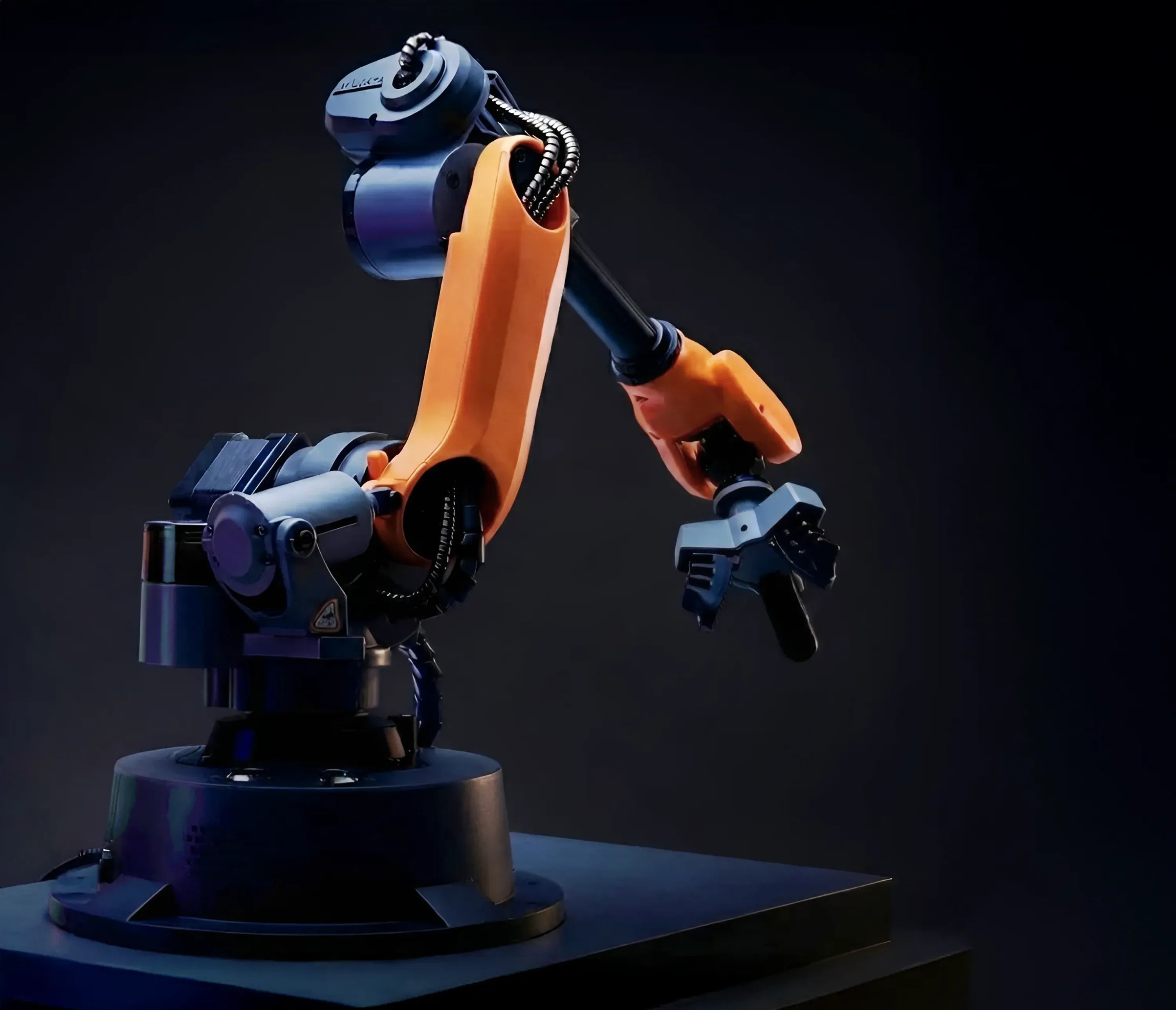
HARDWARE
WLKATA Mirobot
Study joint motion, Cartesian motion, inverse kinematics and application tasks on a real six-axis desktop arm.

CoppeliaSim
SIMULATION
CoppeliaSim
Explore robot models, coordinate frames and motion behaviour in an interactive 3D environment.
MATLAB
COMPUTATION
MATLAB
Build robot models and test forward and inverse kinematics, dynamics and trajectory generation.
LEARNING OUTCOMES
What Your Students Will Learn
Each topic combines mathematical theory with MATLAB computation, CoppeliaSim verification, and hands-on work with the WLKATA Mirobot.
Coordinate Transformations
Describe robot position and orientation using reference frames, rotation matrices, homogeneous transforms, and Euler angles.
Forward Kinematics
Use joint angles and robot geometry to calculate the position and orientation of the end effector.
Inverse Kinematics
Determine the joint angles required for the robot to reach a specified Cartesian position and orientation.
Robot Statics
Analyze forces, moments, and joint loading in a robotic manipulator.
Robot Dynamics
Study how mass, velocity, acceleration, and joint motion affect robot behavior.
Motion Control
Explore joint actuation, stepper motor control, and basic robot motion control.
Trajectory Planning
Plan point-to-point, intermediate-point, and continuous robot trajectories.
Applied Projects
Apply robotics algorithms to grasping, drawing, engraving, and vision-based tasks
CURRICULUM STRUCTURE
8 Chapters — From Kinematics, Simulation to Real Robot Applications
A progressive path from simulation setup and coordinate transformation through kinematics, statics, dynamics, control and motion planning to application projects.
01
Introduction & Robot Simulation
Get familiar with the Mirobot's hardware and set up the MATLAB–CoppeliaSim simulation workflow you'll use throughout the course.
02
Coordinate Transformation
Learn coordinate frames, homogeneous transformation matrices, and Euler angles — the math used to describe an object's position and orientation in space.
03
Kinematics
Build a Modified DH model of the robot, then solve forward kinematics (joint angles → hand position) and inverse kinematics (target position → joint angles) with co-simulation.
04
Statics
Study the forces and torques acting on the robot arm in 3D, and calculate how the manipulator stays stable while holding a load.
05
Dynamics
Learn the dynamics theory behind manipulator motion — how mass, velocity, and acceleration combine to determine the forces needed to move the arm.
06
Motion Control
Understand how joint-drive systems and stepper motors work, and how basic control principles turn commands into precise motor movement.
07
Motion Planning
Plan a robot's path from a starting point to a target, including intermediate waypoints and smooth continuous trajectories.
08
Control Algorithm Applications
Put every concept into practice by applying control algorithms to hands-on tasks on the real six-axis Mirobot, like drawing, engraving, and pick-and-place.
INSIDE THE textbook
See What's on the Textbook Page
Every chapter pairs hands-on robotics lessons with experiments, including diagrams, step-by-step exercises, and downloadable code and model files.
<- -> Flip through to see what students will work on.
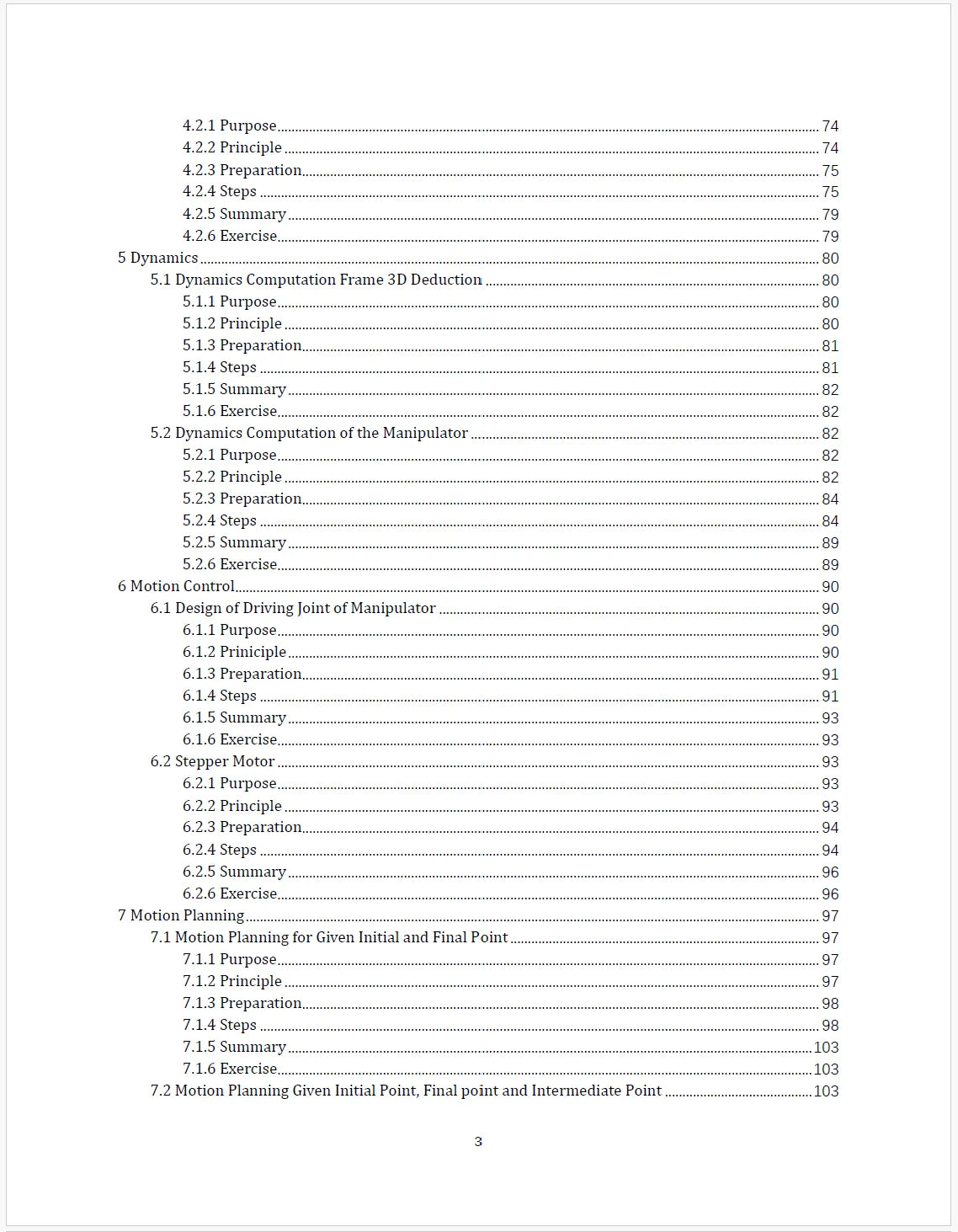
Table of Content — Chapter 5 ~ Chapter 7
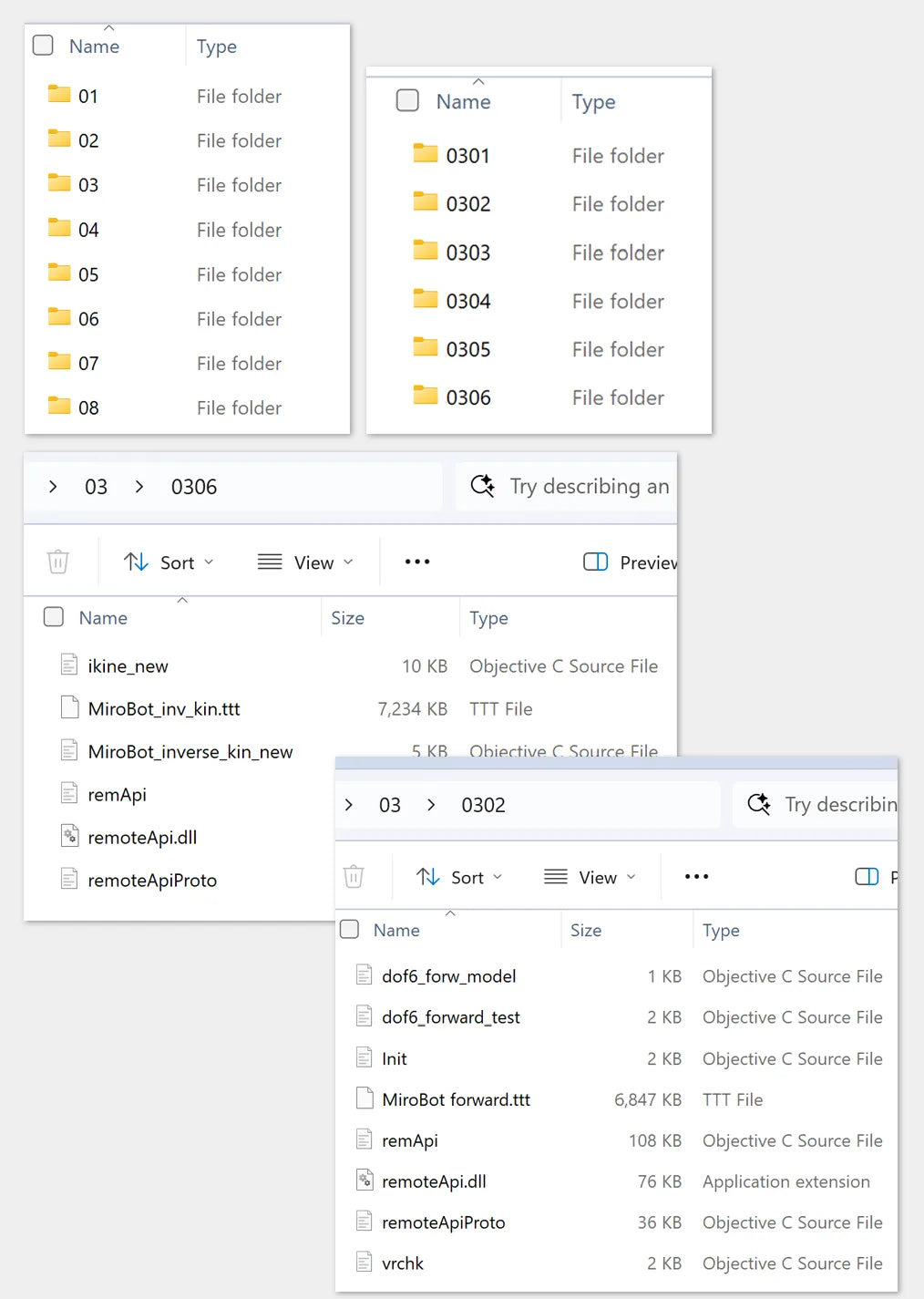
Code files and models for experiments in each chapter — shown here: Experiments 3.2 and 3.6
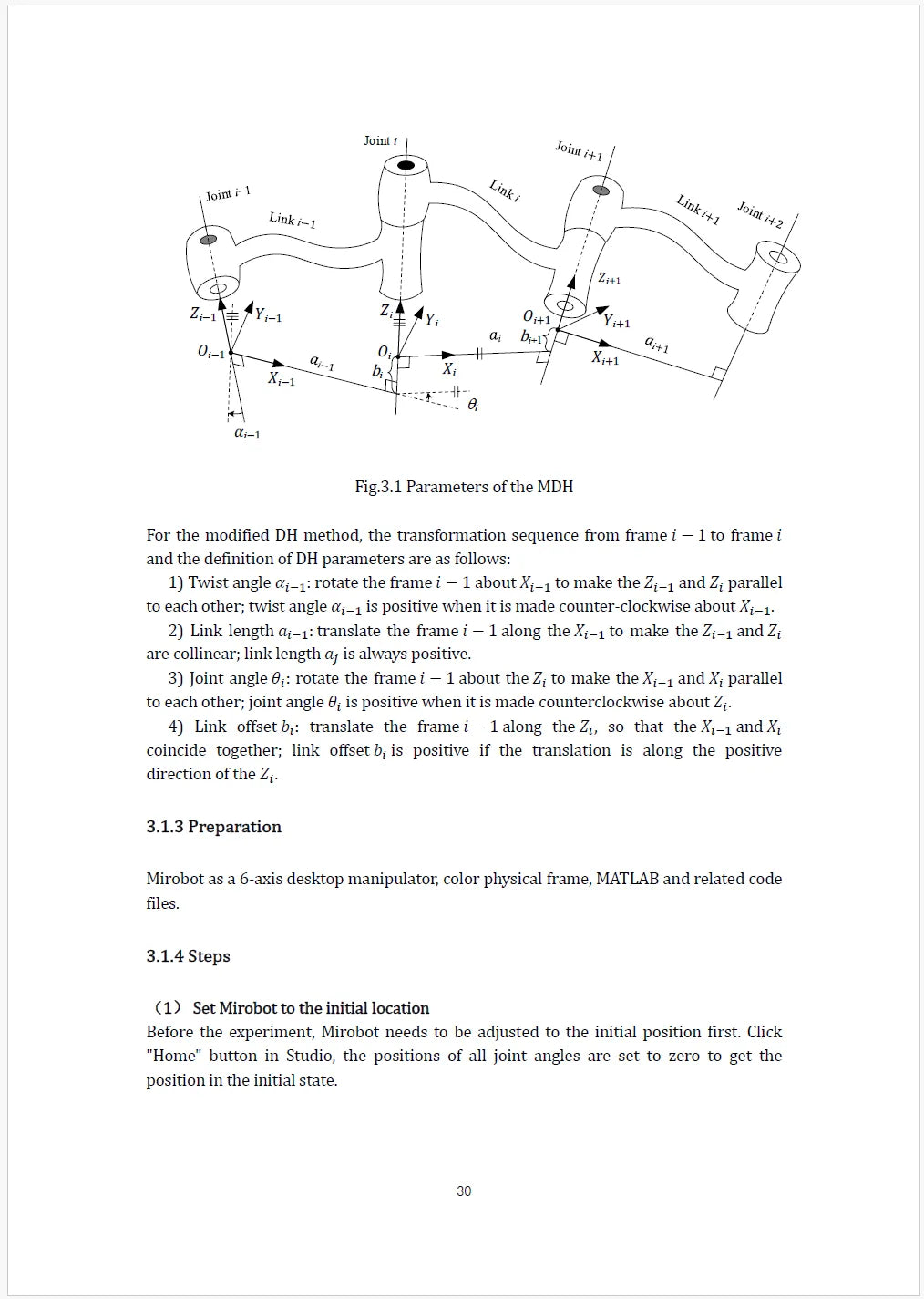
Ch. 3 — Experiment 3.1: Forward Kinematics
(Equipment: Mirobot robotic arm, color physical frame, MATLAB and code files)
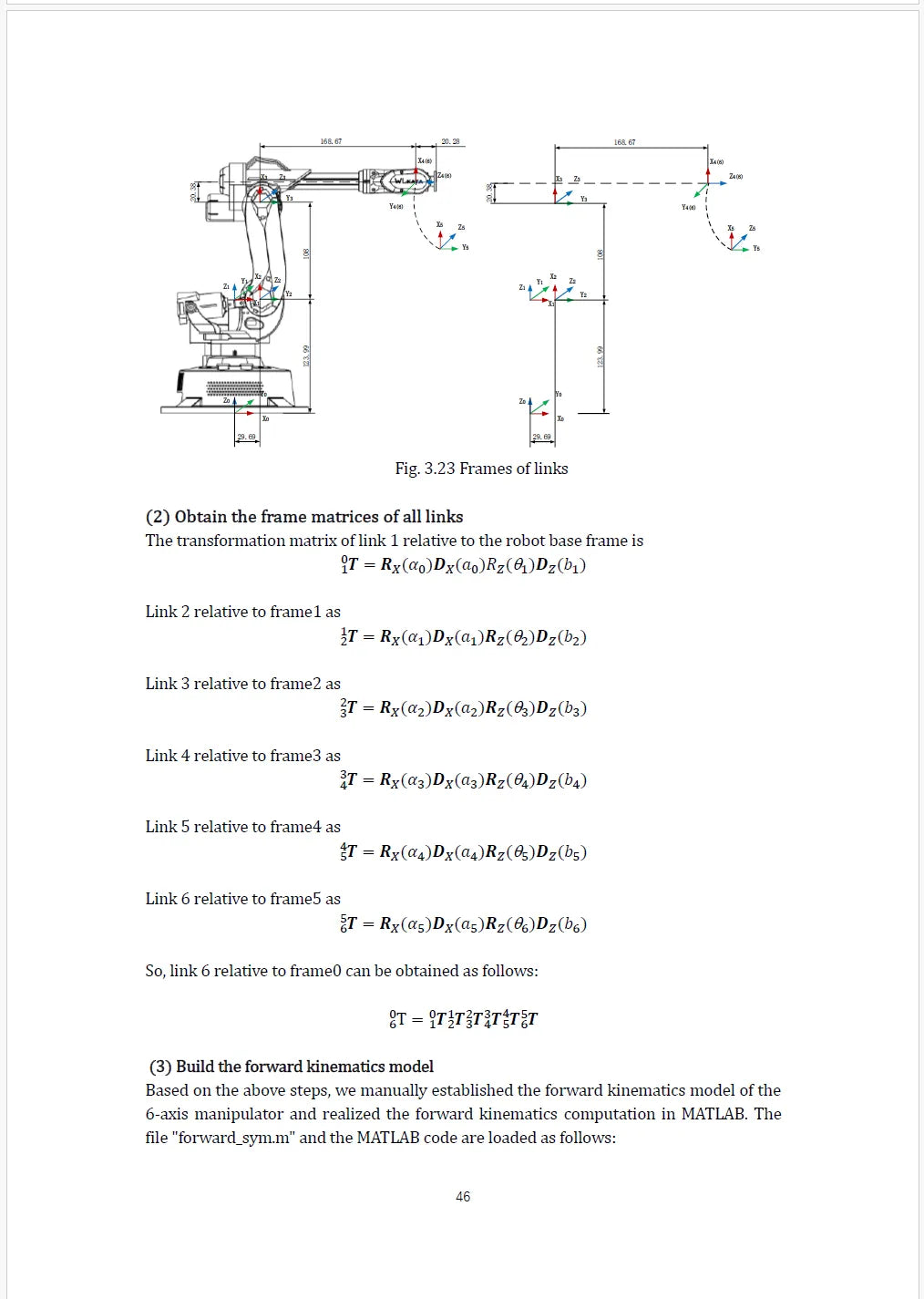
Ch. 3 — Experiment 3.3 : Establishment and Computation of Forward Kinematics
(Equipment: Mirobot, MATLAB and code files)
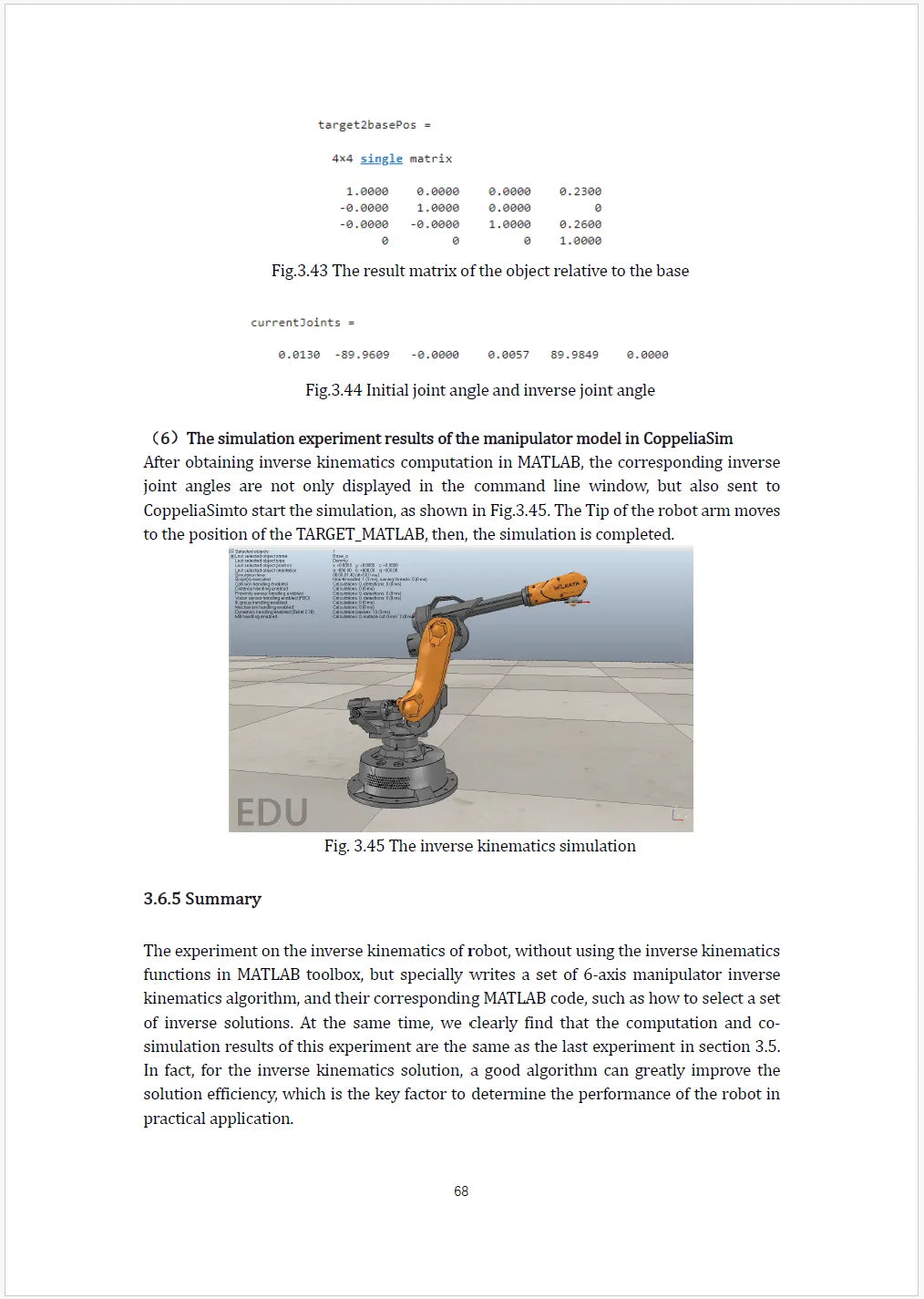
Ch. 3 — Experiment 3.6 : Inverse Kinematics Solution and Co-simulation
(Equipment: Mirobot, CoppeliaSimmodel files and MATLAB code)
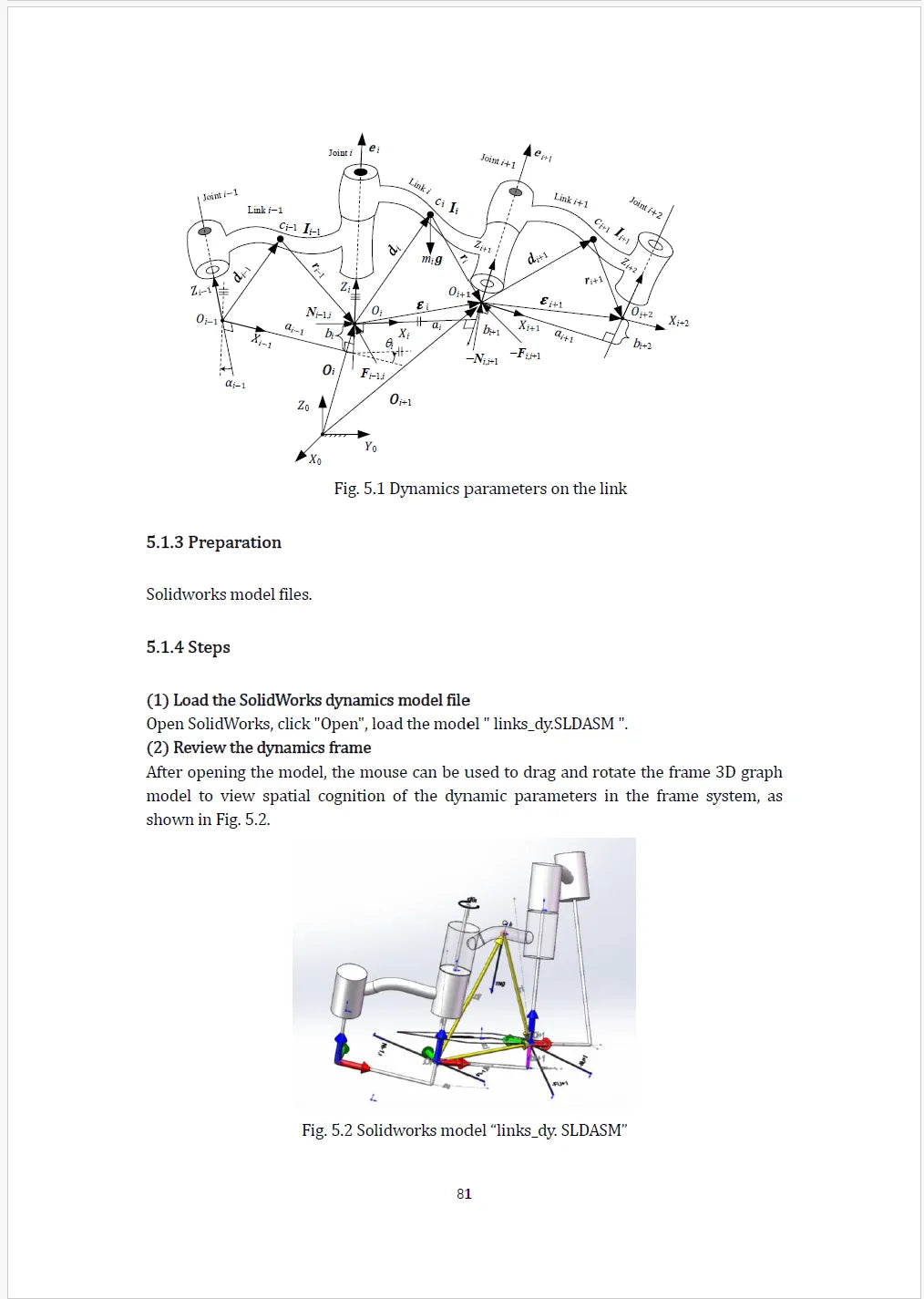
Ch. 5 — Experiment 5.1 : Dynamics Computation Frame 3D Deduction
(Equipment: Solidworks model files)
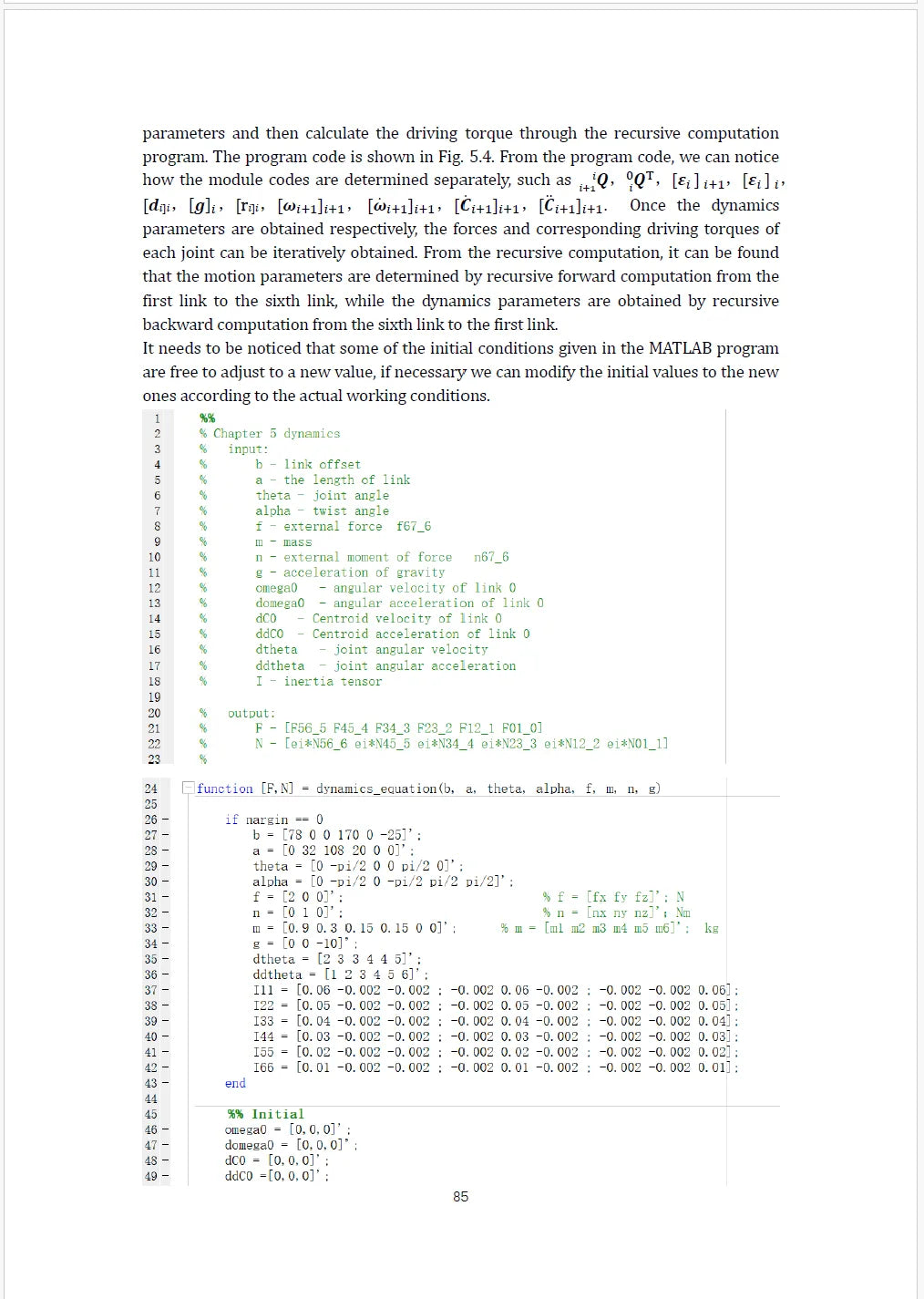
Ch. 5 — Experiment 5.2 : Dynamics Computation of the Manipulator
(Equipment: MATLAB and code files)
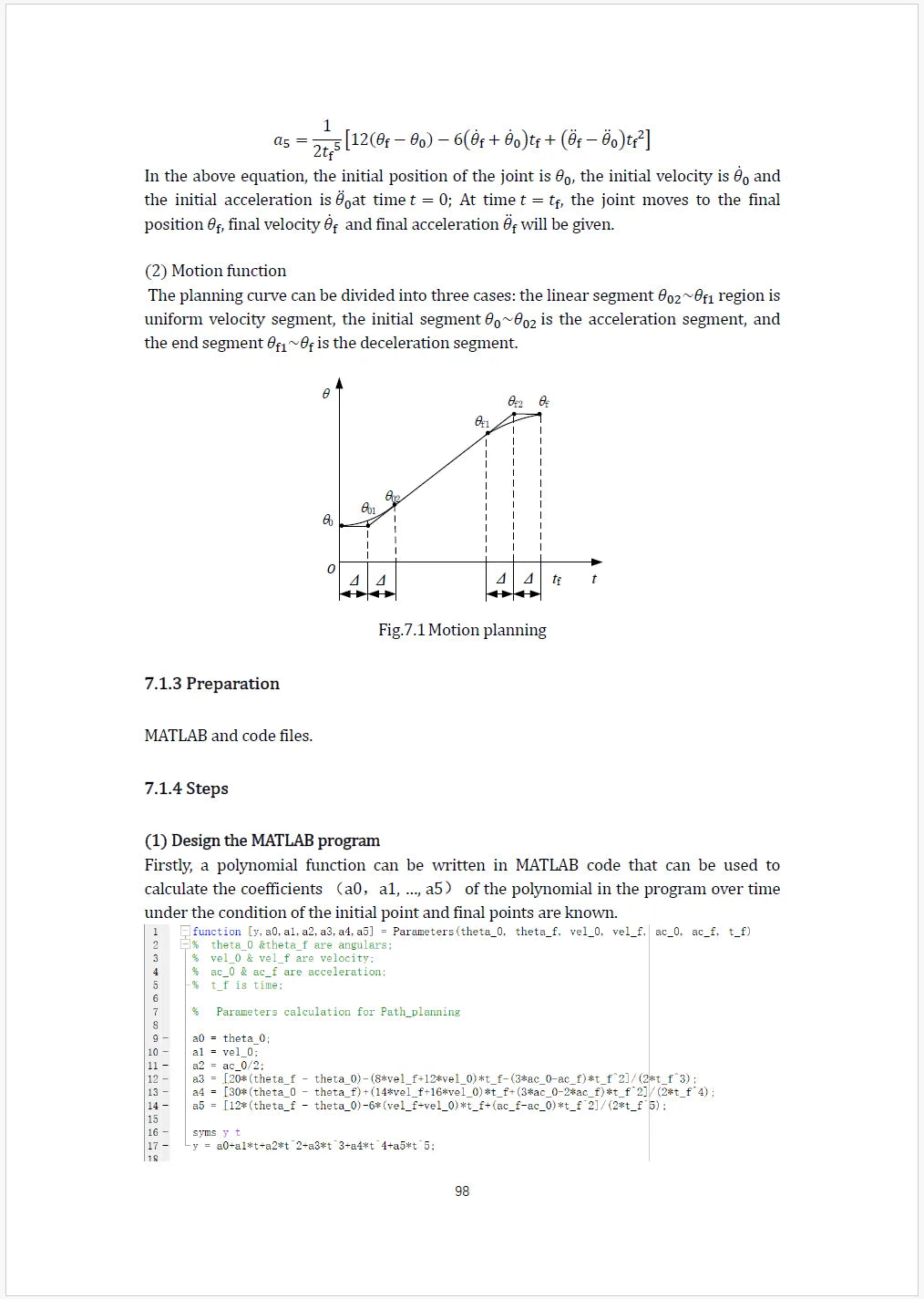
Ch. 7 — Experiment 7.1 : Motion Planning for Given Initial and Final Point
(Equipment: MATLAB and code files)
PRACTICAL LABS
Learn by Doing:
20+ Hands-On Robotics Experiments with MATLAB, CoppeliaSim & Mirobot
Every concept in the book is paired with a number of runnable MATLAB–CoppeliaSim simulation or a physical exercise on the WLKATA Mirobot, so students move from theory to a working experiment in each chapter.
CHAPTER 1
Introduction
2 Experiments
1.1 Initial Knowledge on Industrial Robots
Hands-On Exercise
Understand robot structure and technical parameters; explore CoppeliaSim and MATLAB simulation systems.
1.2 Robot Simulation System — Set up and test the MATLAB–CoppeliaSim connection.
Hands-On Exercise
Add an object in CoppeliaSim and verify detection in MATLAB.
CHAPTER 2
Transformation
4 Experiments
2.1 Transformation in Virtual Laboratory — Frame transformation demo in CoppeliaSim.
Hands-On Exercise
Perform a frame transformation and compute the homogeneous matrix.
2.2 Transformation Matrix into Euler Angles — MATLAB computation of transformation matrix to Euler angles.
Hands-On Exercise
Input a new frame matrix and compute Euler angles.
2.3 Painting Demonstration and Frame Transformation in 2D Space — Drawing with Mirobot while analyzing planar frame transformations.
Hands-On Exercise
Change image position/orientation and verify the transformation.
2.4 Frame Transformation by Changing the End-effector Frame — Manipulate physical frames on Mirobot and observe spatial transformations.
Hands-On Exercise
Explore orientation changes without resetting position.
CHAPTER 3
Kinematics
6 Experiments
3.1 Forward Kinematics — Establish link frames and DH parameters, compute with MATLAB RTB.
Hands-On Exercise
Change joint angles and compute the end-effector matrix.
3.2 Co-simulation of Forward Kinematics — MATLAB–CoppeliaSim co-simulation.
Hands-On Exercise
Adjust joint angles in CoppeliaSim and compute the matrix.
3.3 Establishment and Computation of Forward Kinematics — Manual DH modeling with MATLAB verification.
Hands-On Exercise
Use the manual model for various joint angles.
3.4 Inverse Kinematics Modeling — MATLAB RTB and CoppeliaSim for inverse kinematics.
Hands-On Exercise
Adjust joint angles in simulation and compare results.
3.5 Inverse Kinematics Computation and Co-simulation — MATLAB RTB inverse kinematics with CoppeliaSim feedback.
Hands-On Exercise
Move the target in the workspace and repeat.
3.6 Inverse Kinematics Solution and Co-simulation — Analytical inverse kinematics algorithm with co-simulation.
Hands-On Exercise
Compare analytical vs. toolbox-based solutions.
CHAPTER 4
Statics
2 Experiments
4.1 Static Computation in 3D-deduction — 3D statics modeling and spatial analysis.
Hands-On Exercise
Project vectors and draw geometric parameters.
4.2 Statics Computation of Manipulator — Recursive statics computation in MATLAB.
Hands-On Exercise
Modify parameters and discuss results.
CHAPTER 5
Dynamics
2 Experiments
5.1 Dynamics Computation Frame 3D Deduction — 3D dynamics modeling and parameter analysis.
Hands-On Exercise
Discuss dynamics parameters for a frame.
5.2 Dynamics Computation of the Manipulator — Recursive dynamics computation in MATLAB.
Hands-On Exercise
Adjust parameters and compute new results.
CHAPTER 6
Motion Control
2 Experiments
6.1 Design of Driving Joint of Manipulator — Joint control modeling and MATLAB simulation.
Hands-On Exercise
Discuss control of joint speed.
6.2 Stepper Motor — Stepper motor control, step loss analysis, and parameter adjustment.
Hands-On Exercise
Test different speeds and observe step loss.
CHAPTER 7
Motion Planning
4 Experiments
7.1 Motion Planning for Given Initial and Final Point — MATLAB quintic polynomial planning.
Hands-On Exercise
Modify boundary conditions and analyze the plan.
7.2 Motion Planning with Intermediate Point — MATLAB planning with an intermediate point.
Hands-On Exercise
Change velocity/acceleration at that point.
7.3 Example on Motion Planning of the Manipulator — Mirobot joint motion planning and data analysis.
Hands-On Exercise
Record and plot joint angles over time.
7.4 Continuous Trajectory Motion Planning — Trapezoidal velocity planning in simulation.
Hands-On Exercise
Change joint parameters and compare results.
CHAPTER 8
Application of Control Algorithms for the 6-Axis Desktop Manipulator
4 Experiments
8.1 Grasping Object Experiment Based on Inverse Kinematics — Gripper installation and object grasping using inverse kinematics.
Hands-On Exercise
Set different Cartesian points and observe joint solutions.
8.2 Desktop Robotic Arm Painting Using Motion Trajectory Planning — Drawing with trajectory planning and interpolation algorithms.
Hands-On Exercise
Study and apply curve interpolation for continuous curves.
8.3 Engraving with Laser Engraving
Hands-On Exercise
Hands-on laser engraving experiment on the desktop manipulator.
8.4 Grabbing Objects with Color Recognition
Hands-On Exercise
Hands-on color-recognition-based grasping experiment.
FREE SAMPLE — University Textbook: Robotics
Preview the Textbook
Explore a free sample from Chapter 3: Kinematics and see how the textbook is structured for classroom use with clear theory, worked examples, MATLAB code, CoppeliaSim models, and hands-on experiments using Mirobot.
Designed for university robotics and mechatronics courses, the textbook helps students move from equations and simulation to real robotic-arm applications—making complex robotics concepts easier to teach, practice, and understand.
Download Free Sample Chapter
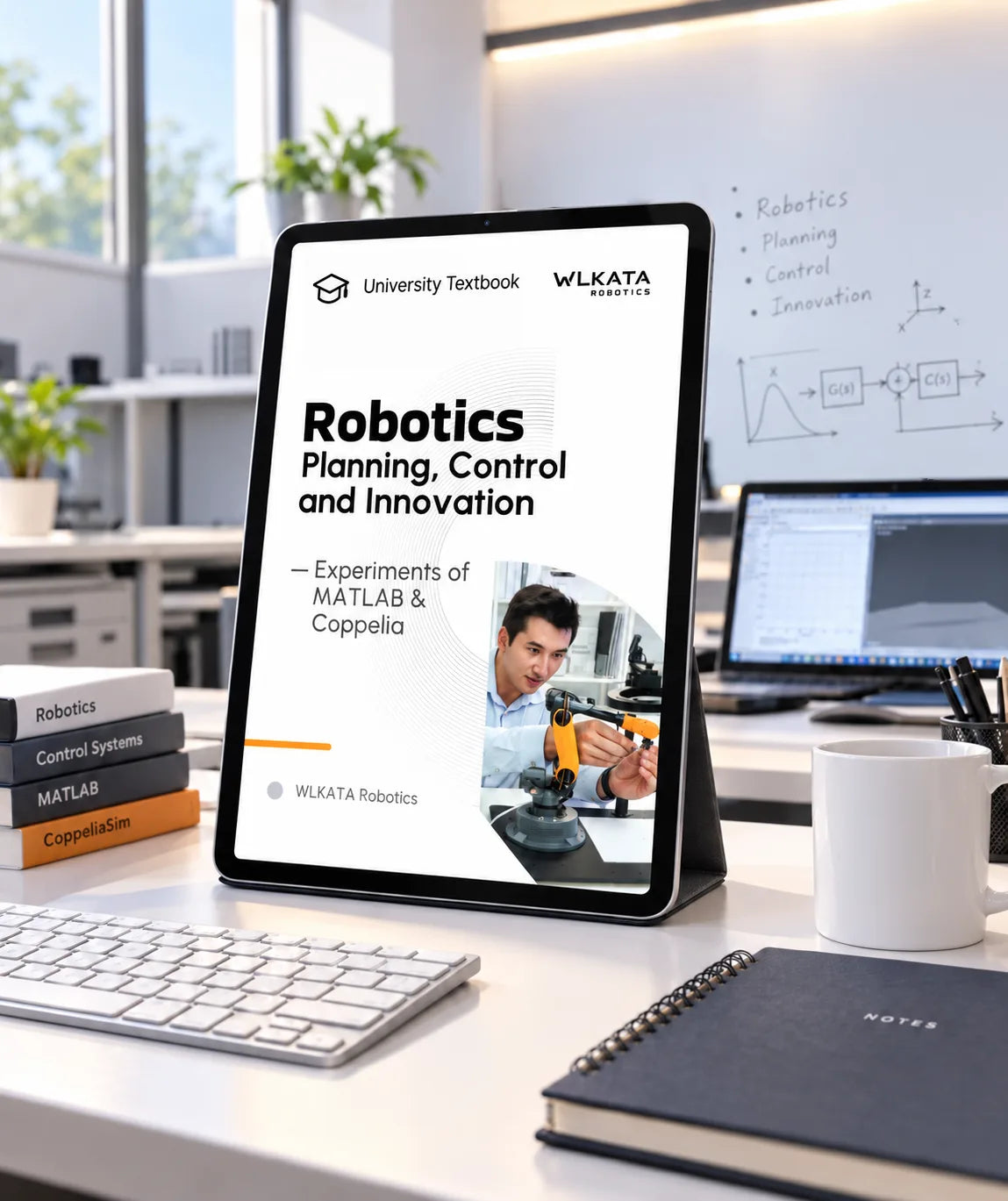
PRODUCT DETAILS
A Textbook for Advanced Robotics Rtudy
Title
Robotics: Planning, Control and Innovation
Type
Textbook & Course Curriculum
Difficulty
★★★★
Advanced
Target learners
University and engineering students
Experiments
22 in total, across 8 chapters
Core platform
WLKATA Mirobot 6-axis robotic arm
Software
MATLAB + CoppeliaSim
MATLAB (Version R2025b), CoppeliaSim (Version 4.10.0)
Publisher
WLKATA
SKU
WL-TX-Uni-Rob
COURSE RESOURCES
More than a printed manual
Content highlights
20+ Hands-On Robotics Experiments
Downloadable MATLAB files, Code & Simulation Models
Digital access to the course content
Mathematical basis of robots
Covers Kinematics, Dynamics, Control & Motion Planning
Experiment-Based Learning with Mirobot
Read a free sample chapter (PDF)
EDUCATOR FAQ
Questions Educators Ask
It is written for university-level robotics, mechatronics, automation and engineering learners who are ready to study mathematical robotics concepts and experiment with a six-axis manipulator. The difficulty is rated advanced (★★★★).
Yes. MATLAB is used for numerical computation and robotics algorithms, while CoppeliaSim provides the virtual robot environment and the co-simulation workflow. Software licences are not included with the book.
The manual is built around Mirobot as its physical experimental platform. Theory and simulation chapters can be studied without the robot, while the hands-on experiments require the arm and the relevant accessories such as a gripper, pen tool or vision set.
Eight progressive chapters contain 22 experiments in total, moving from simulation setup and coordinate transformation through kinematics, statics, dynamics, motion control and trajectory planning to applied projects. The textbook includes downloadable sources for all the experiments, including MATLAB files, Code & Simulation Models etc.
Yes. The textbook includes downloadable resources for all 22 hands-on experiments
across the eight chapters. These resources include MATLAB files, source code, CoppeliaSim simulation models, and other experiment materials needed to follow the activities.
Yes — a free PDF sample is available so you can review the structure, the level of the mathematics and the experiment format before ordering for a class.
Purchase orders from U.S. schools and universities are accepted, and quotes can be issued for class sets of the manual together with robot kits and accessories.